>>> DOWNLOAD NOW
Installation Instructions
Click on "DOWNLOAD NOW" to begin downloading the client.
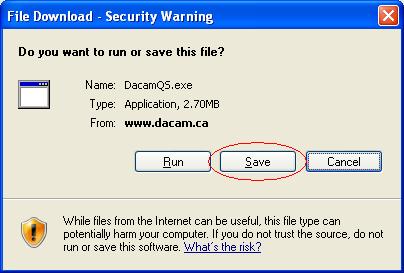
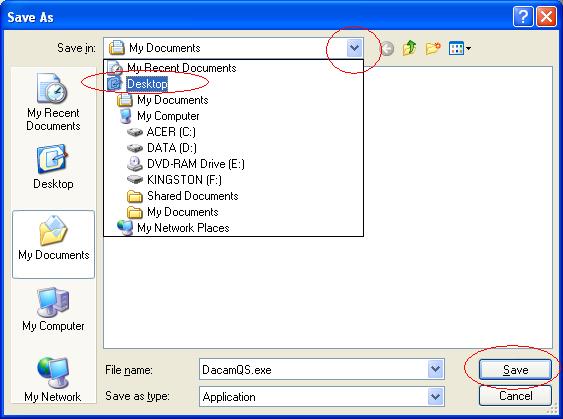
Click on "Desktop" (on left) and then click on "Save" to confirm that you wish to download the client.
When the download is complete, click the "Close" button.
On the computer desktop you will find the DacamQS program file. Double-click on it to launch the support session.
Once the following window appears please give your unique ID code to your support technician.
If your computer's security settings don't allow you to download and run an executable file,
you may also click HERE to download the Dacam Support client as a ZIP file.
|